Matlab Signal Onramp course notes - Part 3: Preprocessing & Aligning
Standardizing signals through resampling, region extraction, and alignment.
Preprocessing Techniques
Real-world data is rarely perfect. To standardize signals for analysis, we often need to:
- Resample: Convert non-uniform signals to uniform ones or change sample rates.
- Detrend: Remove irrelevant trends.
- Normalize: Rescale amplitudes for comparison.
Resampling Signals
Handling Non-uniform Sampling
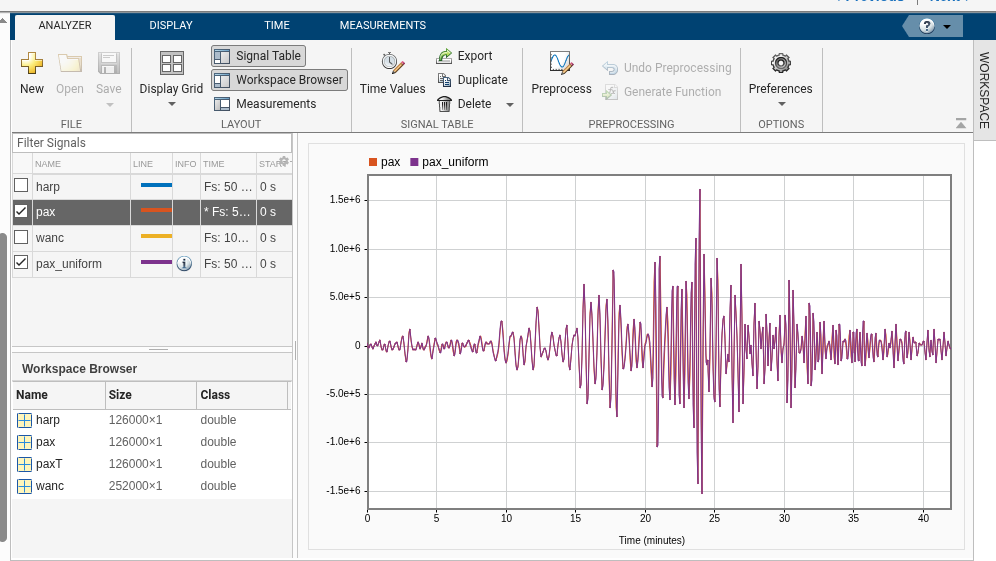
The PAX station recorded samples with small delays. Most spectral analysis techniques require uniform spacing. We can use the Resample tool in Signal Analyzer to interpolate the data to a consistent 50 Hz grid.
Handling Different Sample Rates
The WANC station sampled at 100 Hz. To compare it with the 50 Hz HARP and PAX signals, we downsample it by a factor of 0.5. Note that the maximum representable frequency ($f_{max} = f_s / 2$) changes when you resample.
Region of Interest (ROI)
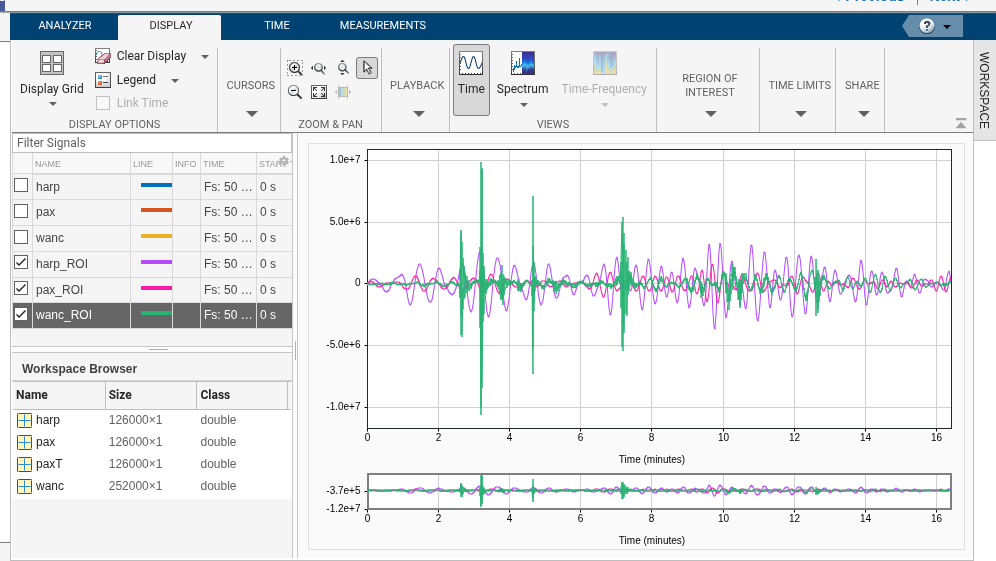
Signals often contain long periods of inactivity. We can use the Panner and Extract Signals tools to focus on the 15–30 minute window where the earthquake surface waves appear.
Custom Preprocessing Functions
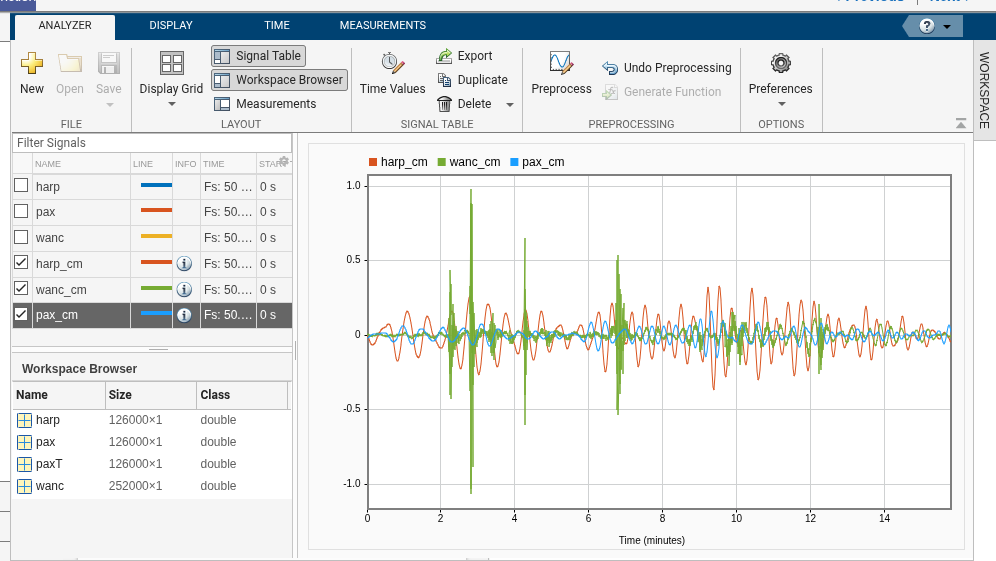
Signal Analyzer allows adding custom functions. For example, to convert displacement from nanometers to centimeters:
1
2
3
function [y, t] = nm2cm(x, t)
    y = x / 1e7; % Convert nm to cm
end
Applying this to our signals makes the y-axis much easier to interpret.
Aligning Signals
Because seismic stations are in different locations, the waves arrived at different times. We use the alignsignals function, which utilizes cross-correlation to estimate the lag and delay the earlier signals to match the last one.
1
2
3
4
5
6
7
8
% Find delays between signals
finddelay(harp, wanc)

% Align harp to wanc
[harp, wanc] = alignsignals(harp, wanc);

% Align pax to wanc
[pax, wanc] = alignsignals(pax, wanc);
Now that the signals are standardized and aligned, we can dive deep into spectral analysis in the next part.