Computer Vision Onramp - Part 4 - Training and Postprocessing
Training an ACF detector and refining results with thresholding and NMS.
Computer Vision Onramp - Part 4 - Training and Postprocessing
Detect and Count Objects
Choose a Detection Algorithm
Object detection training algorithms fall into two categories:
- Machine Learning (e.g., ACF): Faster, require less data, detect one class at a time. Good for consistent viewpoints.
- Deep Learning (e.g., YOLO): More accurate, handle more variability and multiple classes, but require more data and a GPU.
ACF (Aggregated Channel Features) is ideal for turtles because they don’t change significantly in appearance.
Train an ACF Detector
1
2
detector = trainACFObjectDetector(imsWithBoxLabels, NumStages=5);
[bbox, score] = detect(detector, frame);
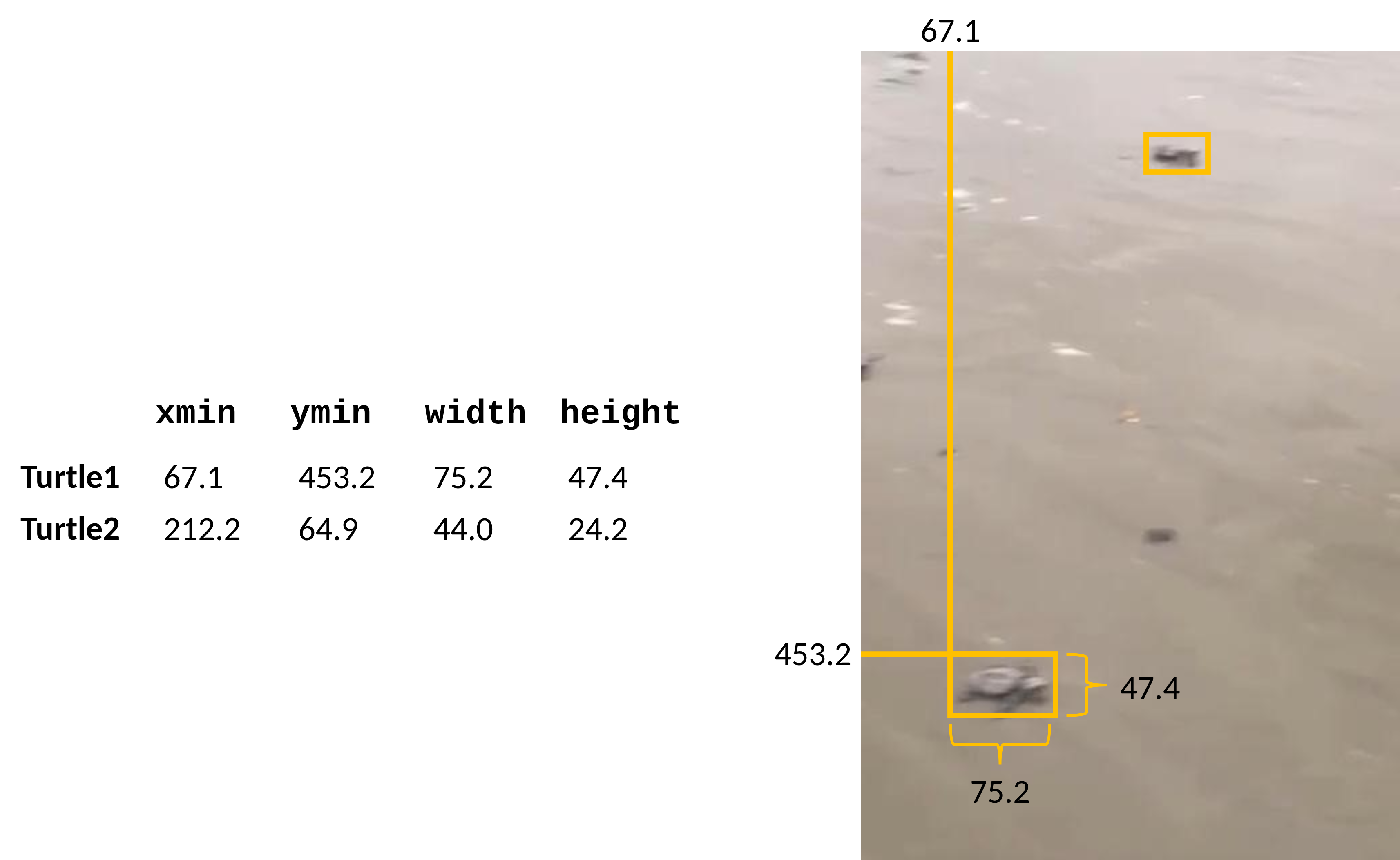
If the detector mislabels objects (like a rock), increase the NumStages (e.g., to 20) to improve accuracy.
Postprocess Detections
1. Thresholding Scores
Remove low-confidence detections. Use a histogram to determine a threshold:
1
2
3
histogram(score, 10)
bbox = bbox(score > 30, :);
score = score(score > 30);
2. Non-Maximum Suppression (NMS)
Remove overlapping boxes identifying the same object using selectStrongestBbox: 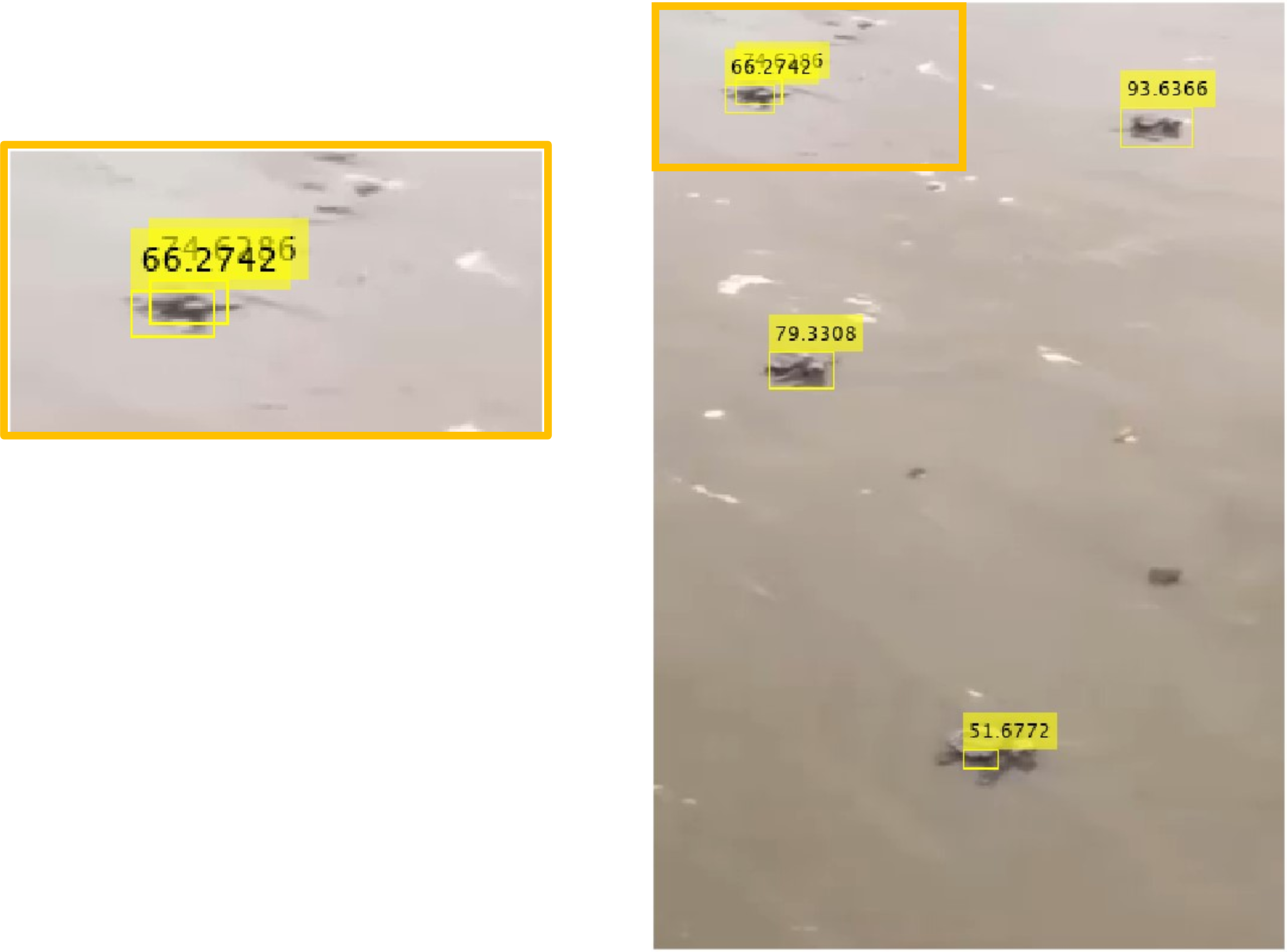
1
[selectedBbox, selectedScore] = selectStrongestBbox(bbox, score, OverlapThreshold=0.1);
Count and Annotate
1
2
3
4
numBoxes = size(selectedBbox, 1);
str = numBoxes + " turtle(s) detected";
imgCounted = insertText(frame, [250 550], str);
imshow(imgCounted)
Apply to Each Video Frame
Use a while loop with hasFrame to process a video stream:
1
2
3
4
5
6
while hasFrame(turtleVideo)
    frame = readFrame(turtleVideo);
    % ... detect, postprocess, and count ...
    imshow(img)
    drawnow
end
This post is licensed under CC BY 4.0 by the author.