Computer Vision Onramp - Part 3 - Ground Truth Data
Preparing ground truth data for training object detectors.
Computer Vision Onramp - Part 3 - Ground Truth Data
Object Detection
Artificial Intelligence for Object Detection
Computers need to be told how to recognize an object in different positions and scenes. AI is about teaching computers to learn from previous experience. To train a computer to recognize a “general” turtle, we need Ground Truth data: images combined with locations and labels of the objects.
Video Labeler App
The Video Labeler app helps automate this process:
- Import Video: Add the video file to the app.
- Define Labels: Create ROI (Region of Interest) labels (e.g., “turtle”).
- Label ROI: Click and drag boxes snugly around the objects.
- Automate: Use built-in algorithms like Point Tracker to track features from frame to frame, handling non-linear movement and multiple objects.
Ground Truth Data in MATLAB
Ground truth data is exported as a gTruth object.
1
2
3
data = gTruth.LabelData;
bboxes = data.turtle; % Timetable of bounding boxes
bboxes12 = bboxes{12}; % 12th frame boxes [xmin ymin width height]
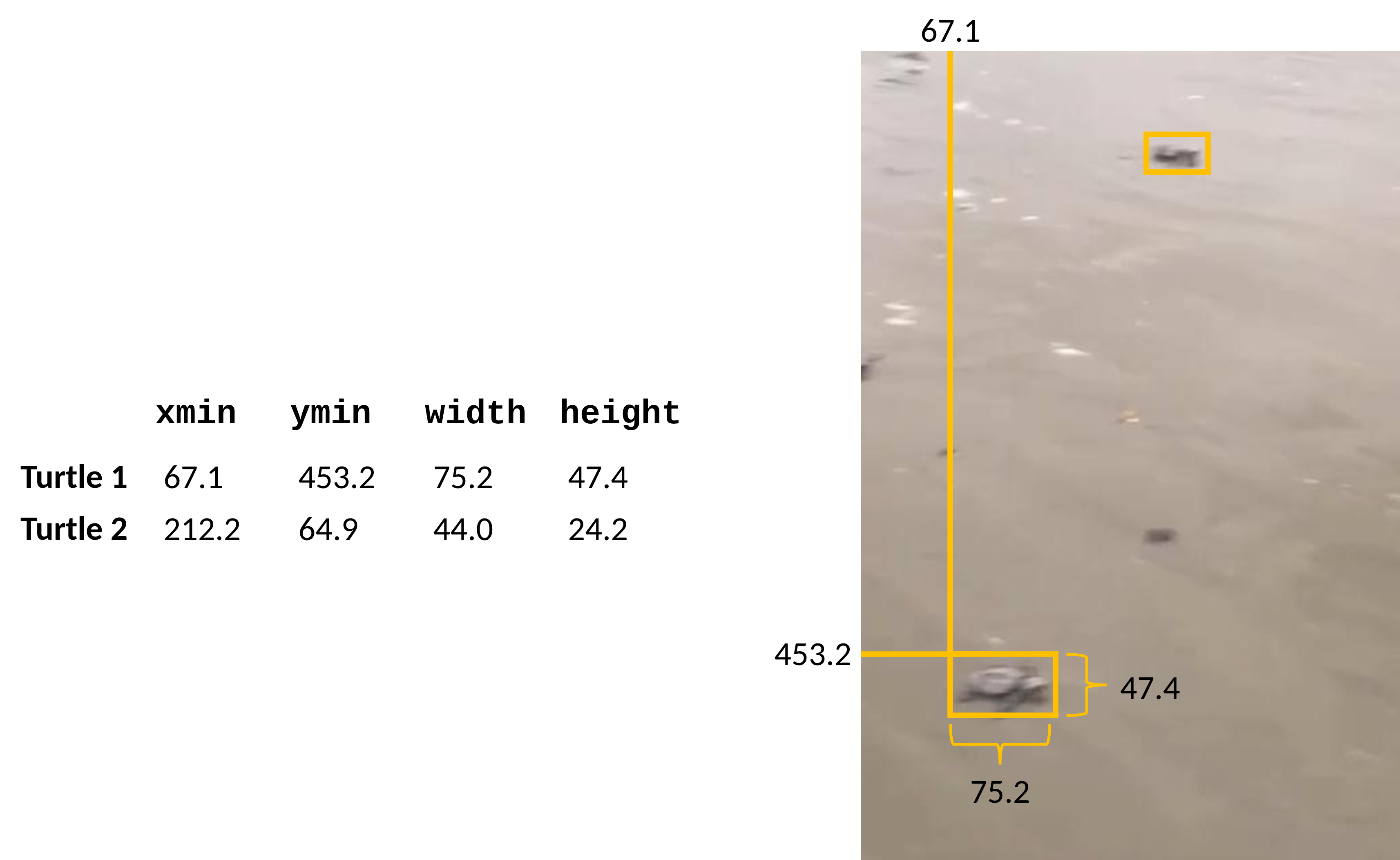
Visualize and Annotate
1
2
3
4
video = VideoReader("lotsOturtles_forVideoLabeling.avi");
frame12 = read(video, 12);
frameBox = insertObjectAnnotation(frame12, "rectangle", bboxes12, "Turtle");
imshow(frameBox);
Create Training Images
Extract every $n^{th}$ frame to provide variety and reduce redundancy: 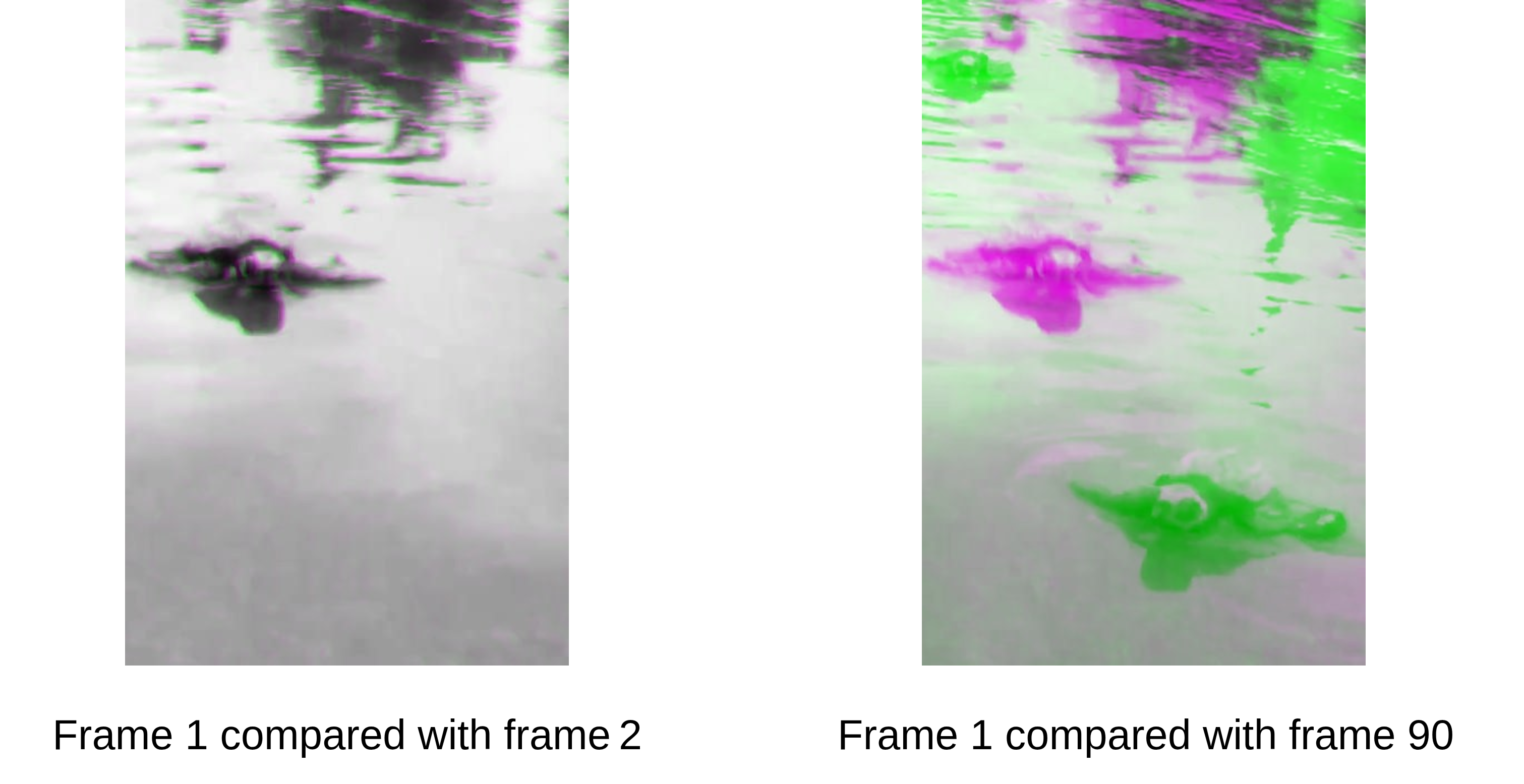
1
2
3
4
[imList, boxLabels] = objectDetectorTrainingData(gTruth, SamplingFactor=10, ...
    NamePrefix="turtleFrame", WriteLocation="trainingImages");

imsWithBoxLabels = combine(imList, boxLabels);
This post is licensed under CC BY 4.0 by the author.